Google TV
Google LLCVideo Players & Editors
3.976.54K Reviews
- Version
- Varies With Device
- Installs
- 10.00B
- Age Rating
- Teen
Screenshots
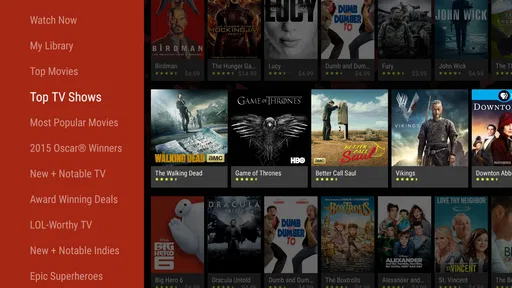
Our Review of Google TV
 Analysis by Appyee
Alright, folks, let’s dive into the world of Google TV. If you're anything like me, you've probably been juggling multiple streaming apps, trying to remember where you left off in that one show, and let's not even start on the endless scrolling to find something new. Well, Google TV promises to be the one-stop-shop for all your streaming needs, and I took it for a spin to see if it lives up to the hype.
Getting Started with Google TV
First things first, setting up Google TV is a breeze. Just download the app on your Android or iOS device, and you're good to go. The interface is sleek and intuitive, which is a big win in my book. You can sign in with your Google account, and if you're already in the Google ecosystem, it syncs up your preferences and recommendations like magic.
Features That Stand Out
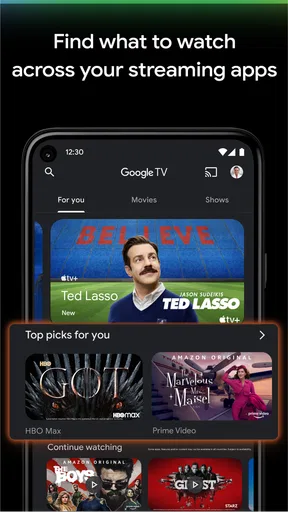
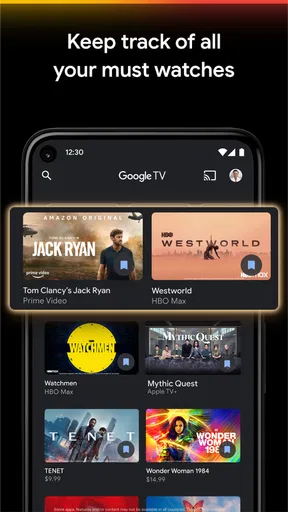
Now, let's talk features. The standout for me is the personalized watchlist. You can add shows and movies from any streaming service you have a subscription to, and they all pop up in one neat list. It's like having a personal assistant just for your TV habits. Another cool feature is the integration with Google Assistant. You can literally say, "Hey Google, play The Office," and bam, you're back in Scranton.
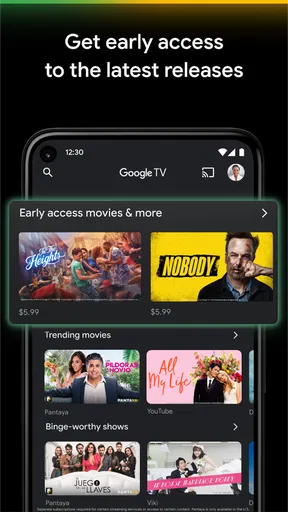
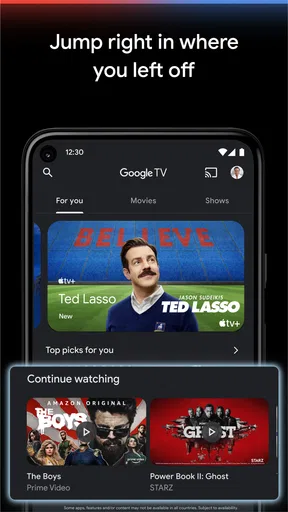
There's also a section that curates trending content across all platforms. So, if you're feeling indecisive, you can just check out what's popular and jump right in. I love how it gives me that "I'm in the know" feeling without having to do much digging.
The Viewing Experience
When it comes to the actual viewing experience, Google TV doesn’t disappoint. It supports 4K resolution, so if you’ve got the right setup, you’re in for a visual treat. The app runs smoothly, and I didn’t encounter any buffering, which is crucial when you’re deep into a binge-watching session.
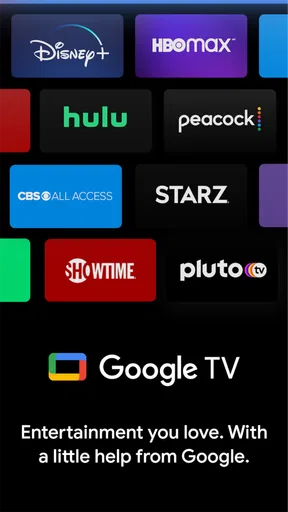
One thing to note is the integration with live TV. If you have YouTube TV, it seamlessly connects, letting you switch between live broadcasts and your streaming apps without missing a beat. It’s like someone finally understood that I don’t want to switch apps every five minutes.
Room for Improvement
Now, no app is perfect, and Google TV is no exception. While the idea of a universal watchlist is fantastic, there are some limitations. Not all streaming services are supported yet, so if you’re a fan of a niche platform, you might still be juggling apps. Also, the recommendations, while generally spot-on, occasionally miss the mark, suggesting shows I've already watched or have no interest in.
Another minor gripe is the occasional lag when switching between different sections of the app. It’s rare, but when it happens, it can be a bit of a mood killer. But hey, I guess no app can completely escape the occasional tech hiccup.
Final Thoughts
So, is Google TV worth it? In my opinion, absolutely. It’s a game-changer for anyone who wants to streamline their streaming experience. With its user-friendly interface, comprehensive watchlist, and integration with Google Assistant, it’s a step in the right direction for digital entertainment.
While it’s not perfect and has room for growth, especially regarding additional streaming service support, the pros definitely outweigh the cons. If you're tired of app-hopping and want a centralized hub for your TV and movie needs, give Google TV a shot. You might just find it's the TV companion you didn't know you needed.
How Google TV Compares
Full ComparisonChoose Google TV for discovering movies and shows across services, iTunes for Apple-centered media and music, or BiliBili for anime and community features.
| App | Developer | Rating | Price |
|---|---|---|---|
 Google TVThis App | Google LLC | 3.9 | Free |
 iTunes | Apple | 4.7 | Free |
 BiliBili -HD Anime, Videos | BALABOOM PTE. LTD. | 3.7 | Free |
Verdict
Strengths of Google TV
- Intuitive interface for easy navigation.
- Seamless integration with other Google services.
- Wide selection of streaming apps available.
- Personalized recommendations improve over time.
- Supports voice search for hands-free control.
Limitations of Google TV
- Limited customization options for home screen.
- Occasional buffering on slower connections.
- Some features require additional subscriptions.
- Interface can be overwhelming for new users.
- Content availability may vary by region.
Other Releases by Google LLC
View All
Google Calendar
Productivity4.6

Google Messages
Communication4.6

Tools4.0

Android Auto
Auto & Vehicles4.1
Similar Picks in This Category
View All
iTunes
Apple4.7

YouTube
Google LLC3.8

MX Player
Amazon Mobile LLC4.2

CapCut - Video Editor
Bytedance Pte. Ltd.3.5

PLAYit-All in One Video Player
PLAYIT TECHNOLOGY PTE. LTD.4.5

VivaVideo - Video Cut & Editor
QuVideo Inc. Video Editor & Video Maker App4.3
You May Also Like
View All


Frequently Asked Questions
What is Google TV and how does it differ from regular Android TV?
Google TV is a smart TV experience that builds on top of Android TV, offering a more personalized and content-focused interface. Unlike regular Android TV, Google TV organizes content from various streaming services into a unified home screen, making it easier to discover and enjoy shows and movies across different platforms.
Can I use Google TV without a subscription to streaming services?
Yes, you can use Google TV without subscriptions, but its features are best utilized with streaming services. While you can access free content and use built-in apps, the full potential of Google TV is realized when you have subscriptions to services like Netflix, Disney+, or Amazon Prime Video, allowing seamless content access and recommendations.
How does Google TV enhance my viewing experience with personalized recommendations?
Google TV uses machine learning algorithms to analyze your viewing habits and preferences, offering tailored recommendations. By aggregating content from various services you've subscribed to, it suggests shows and movies based on your interests, ensuring you spend less time searching and more time watching what you love.
What devices are compatible with Google TV, and how do I set it up?
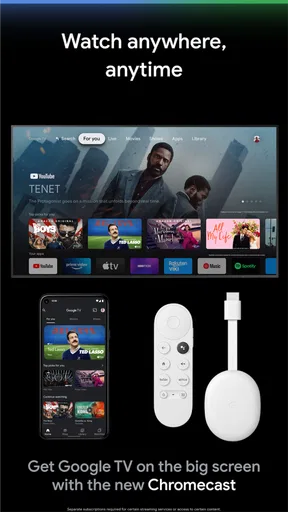
Google TV is available on select smart TVs, streaming devices like the Chromecast with Google TV, and can be accessed via the Google TV app on mobile devices. Setting it up involves connecting the device to your TV, linking your Google account, and configuring your streaming service subscriptions to start enjoying a personalized viewing experience.
Is Google TV easy to navigate for users who are not tech-savvy?
Yes, Google TV is designed with user-friendliness in mind. Its intuitive interface and voice search capabilities, powered by Google Assistant, make it easy to find and control content. Even those who are not tech-savvy will find it straightforward to browse through content and access their favorite shows and movies.
